
Walk into any plan room in the country and ask which software runs the takeoff, and you will hear the same two names: PlanSwift and Bluebeam. Contractors talk about them like rivals. They are not rivals. They are two different tools built for two different jobs, and the wrong pick costs you in license fees, training hours, and takeoff speed for as long as the seats are paid for.
Most firms compare them wrong. They line up feature lists and price tags, pick the cheaper one, and then wonder why their estimators fight the software for six months. The right way to compare is to start with the work itself. If your bottleneck is turning drawings into quantities fast, you need one tool. If your bottleneck is reviewing, redlining, and managing drawing sets across a team, you need the other. This guide breaks down both, side by side, so you buy the right one for the work you actually do.
The Short Answer
PlanSwift is built to turn drawings into quantities, and quantities into priced assemblies, as fast as possible. You trace a wall, and the software gives you studs, track, gypsum, fasteners, mud, and labor hours in one motion. It is a takeoff engine first and everything else second.
Bluebeam Revu is built to mark up, measure, and manage PDF drawings across a whole project team, with quantity takeoff as one of its jobs. Redlines, punch lists, Studio collaboration sessions, submittal reviews: that is its home turf. Measurement tools are strong, and the top tier links quantities into Excel, but the software was born for document workflows, not assembly-level estimating.
Plenty of mid-size firms run both, which is why the debate never dies. PlanSwift handles the takeoff, Bluebeam handles everything around the drawings.
PlanSwift vs Bluebeam, Head to Head
| Feature | PlanSwift | Bluebeam Revu |
|---|---|---|
| Primary job | Quantity takeoff and cost assemblies | PDF markup, measurement, and drawing collaboration |
| 2026 pricing (verified May 2026) | Professional around US$2,000 per user per year (annual subscription with support and updates) | Basics $260, Core $330, Complete $440 per user per year |
| G2 user rating | 4.3 out of 5, praised most for ease of use | 4.5 out of 5, praised most for document management and value |
| Platform | Windows desktop | Desktop plus cloud; mobile markup app available |
| File support | PDF, TIFF, JPEG, BMP, DWF | PDF native, with import from DWG, DWF, DXF, and dozens more formats |
| Material assemblies | Built in: custom assemblies with formulas calculate components and labor automatically | Not native; quantities link to Excel (Complete tier) where you build your own formulas |
| Excel integration | Reports export to Excel; formulas live inside the software | Quantity Link (Complete tier) ties measurements to live Excel cells |
| Real-time collaboration | Limited; desktop file-based workflow | Studio Sessions: multiple reviewers on the same set at once |
| Who lives in it daily | Estimators doing takeoffs | Estimators, project managers, superintendents, architects |
Pricing note: these are ranges from published sources checked in May 2026, and both vendors adjust plans and terms regularly. Confirm current pricing on the vendor's own page before you budget seats.
Quantity Takeoff: Where Each One Does Its Best Work
PlanSwift's takeoff workflow is the reason it exists. Open a plan, calibrate the scale, and start clicking: areas, lengths, counts, and volumes come off the drawing directly. The killer feature is assemblies. Define a wall type once with its studs, plates, gypsum layers, fasteners, tape, mud, and labor hours, and every wall you trace generates the full material list. A drywall estimator tracing interior partitions on a tenant improvement can produce a complete board and accessories count in the same pass as the area takeoff. For trades that repeat assemblies across a project, drywall, framing, concrete, painting, masonry, this compounds fast.
Bluebeam's measurement tools are no slouch. You get area, length, count, and volume measurements with legends, markup lists, and reporting. What it does not do natively is assemblies. On the Complete tier, Quantity Link pushes your measurements into Excel, where formulas you write do the assembly math. That works, and many estimators build impressive workbooks this way, but the assembly logic lives in your spreadsheet instead of in the takeoff software. The handoff also matters: PlanSwift keeps quantity and pricing in one place, while Bluebeam hands quantities to Excel and expects you to finish the pricing there.
The practical difference shows up in revision cycles. When an addendum drops, a PlanSwift estimator re-traces the changed areas and the assemblies recalculate. A Bluebeam user re-measures, updates the markup list, and rechecks the Excel links. Both work. One has fewer moving parts.
PDF Markup and Drawing Review
This is Bluebeam's territory and there is no real contest. Studio Sessions let multiple people mark up the same drawing set in real time: the architect answers an RFI, the PM drops a punch item, the superintendent flags a field condition, and the estimator watches the set update instead of getting a fourth email with a conflicting PDF. Redlining, cloud annotations, hyperlinking plan sheets, comparing drawing revisions overlay to overlay: this is the workflow Bluebeam was built for.
PlanSwift has basic markup tools, and they are fine for an estimator's personal notes. But it was never meant to be the drawing collaboration platform for a project team. If your shop has a standing complaint that nobody knows which drawing revision is current, that is a document problem, and Bluebeam solves document problems.
Assemblies and Pricing Engines
To understand the assembly gap, walk through a concrete example the way an estimator would set it up. Take a 100 linear foot run of 8-foot interior metal-stud partition:
- In PlanSwift, you build a "Mtl Stud Partition" assembly once: studs at 16 inches on center, top and bottom track, gypsum board on both faces, joint compound, tape, screws, and your labor hours per linear foot, all as formulas. Trace the 100 feet and the software returns roughly 76 studs, 200 feet of track, about 1,600 square feet of board, plus consumables and labor, itemized.
- In Bluebeam, you measure the 100 linear feet and the wall area, and those quantities land in your markup list or, on Complete, in Excel through Quantity Link. The stud count, board square footage, and labor hours come from formulas you wrote in the spreadsheet. Same destination, but you built and maintain the engine yourself.
Estimators who already live in Excel love the Bluebeam approach because the workbook is theirs and portable. Estimators who want the software to carry the formula library prefer PlanSwift. Neither is wrong. The question is who on your team maintains the formulas, and whether you want them maintained in one vendor's tool or in spreadsheets that survive vendor changes.
Collaboration: One Estimator vs the Whole Team
Consider who else touches the software. PlanSwift seats usually belong to the estimating department. Bluebeam seats often belong to everyone: estimators, project managers, field staff, and the architects and engineers you coordinate with. That changes the value math. A $440 per user Complete seat looks different when three roles use it daily versus one.
Bluebeam's Studio Sessions are the standout: a real-time shared markup environment for design reviews, bid reviews, and plan checks. If your estimators waste time chasing down the current revision or merging comments from five people, Studio removes that friction. PlanSwift's collaboration story is thinner: it is a desktop workflow, and sharing means sharing files. For a one or two person estimating shop, that is perfectly fine. For a team spread across an office and job sites, it is a real limitation.
Learning Curve and Getting Productive
G2 reviewers give PlanSwift its highest marks for ease of use, and it earns them. An estimator who can read plans can usually produce real takeoffs within a few days, because the workflow matches the estimating task directly: calibrate, click, assemble, report.
Bluebeam has more software to learn because it does more kinds of work. Markup, measurement, Studio, Batch tools, Quantity Link: each is simple enough alone, but the feature set is broad. The upside is that once the whole team is trained, everyone works in the same environment. The downside is that an estimator who only needs fast takeoffs sits through a lot of features they will never touch. Onboarding cost cuts against Bluebeam for a pure estimating seat and for it when the PMs and supers also adopt it.
2026 Pricing: What Each Seat Actually Costs
License pricing as verified in May 2026 from published vendor and review sources:
| Product | Price | What it includes |
|---|---|---|
| PlanSwift Professional | About US$2,000 per user, billed annually | Annual subscription including support, software updates, and training |
| Bluebeam Revu Basics | $260 per user, billed annually | Simple markups, document management, and collaboration |
| Bluebeam Revu Core | $330 per user, billed annually | Professional-grade markup, measurement, collaboration, and CAD workflows |
| Bluebeam Revu Complete | $440 per user, billed annually | Everything in Core plus workflow automation, Quantity Link with Excel, and advanced markup reporting |
Read the comparison carefully, because the tiers are not interchangeable. A contractor comparing "PlanSwift vs Bluebeam" on price alone will compare PlanSwift to Basics at $260 and declare Bluebeam cheaper. But Basics does not have Quantity Link, so it is not the takeoff tier. The honest comparison is PlanSwift against Core or Complete, which narrows the gap considerably. Multiply by seats and add training time before you decide anything.
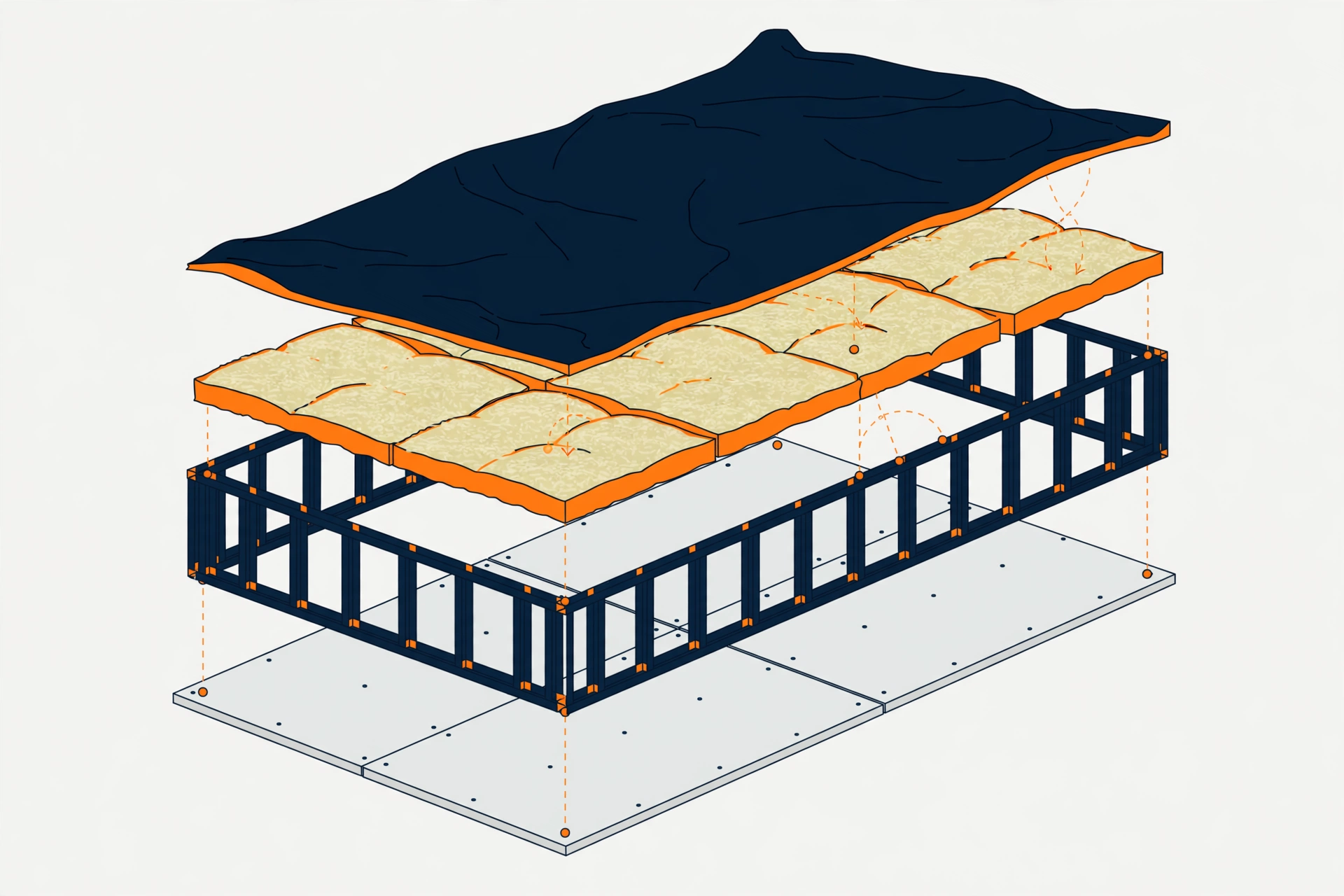
A Worked Walkthrough: One Takeoff, Two Workflows (Hypothetical)
The following is a clearly labeled hypothetical illustration, not a benchmark or a timed test. Take a 3,000 square foot retail shell needing a drywall takeoff: partitions, lid framing, board counts, tape, mud, and fasteners.
The PlanSwift path: open the plan set and calibrate scale. Trace partition runs with a wall assembly pre-built for metal-stud partitions, so each run generates stud counts, track, board square footage, and accessories automatically. Trace ceiling lids as areas with a ceiling assembly for framing and board. Export the itemized report to Excel, where your unit prices are already linked. Revisions: re-trace changed runs and the assemblies recalculate.
The Bluebeam path: open the plan set in a Studio Session so the PM can watch progress. Measure partition lengths and lid areas, tag each measurement to a custom column for wall type. Push quantities to Excel through Quantity Link, where your assembly formulas convert lengths and areas into studs, board, and labor. Export the priced sheet. Revisions: re-measure changed runs, update the markup list, and verify the Excel links picked up the changes.
Both paths land on a priced, defensible takeoff. The PlanSwift path keeps assembly logic inside the takeoff tool, with one file and one workflow. The Bluebeam path splits logic between the markup session and the workbook, but the whole team can see and participate in the session. Your preference between those two shapes tells you which software fits your shop.
How to Pick: The Estimator's Checklist
Run through these questions before you buy seats. Your answers will point to the right tool faster than any feature matrix.
- How much of your work is assembly-driven? If you estimate repeating assemblies across trades, drywall, framing, concrete, roofing, PlanSwift's assembly engine pays for itself. If you price from measured quantities with simple unit costs, Bluebeam plus Excel handles it.
- Who else needs the seats? Estimating department only leans PlanSwift. PMs, supers, and consultants who review drawings lean Bluebeam.
- Is drawing revision chaos a real problem? If plan sets arrive as email attachments with conflicting revisions, Bluebeam's Studio and revision comparison solve a pain PlanSwift does not address.
- How many seats are you buying? One or two estimating seats make PlanSwift's single-purpose price easy to justify. Five-plus seats across roles make Bluebeam's per-user tiers competitive, since non-estimators get value from the same licenses.
- Where does your pricing live? If unit prices and formulas already live in workbooks your team trusts, Bluebeam's Quantity Link fits the existing workflow. If you want the takeoff tool to own the formulas, PlanSwift does.
- Do you need field access? PlanSwift is desktop-bound. Bluebeam's cloud and mobile options reach the job trailer, though takeoff on a tablet is a limited experience in both.
One More Option Before You Buy Either
Some contractors look at this comparison and realize the real bottleneck is not software at all. It is estimator hours. A new license takes weeks to pay back in training and template building, and that payback only happens if someone's calendar has room for takeoff work. If your backlog is the problem, not your tools, outsourcing the takeoff removes the bottleneck without adding a seat. Our quantity takeoff services deliver plan-traced quantities in PlanSwift and Bluebeam-native markups either way, so the software question becomes ours to answer instead of yours.
And if you are already producing takeoffs in-house, keep the software comparison in perspective. Both tools are used by competent estimators every day. The best software is the one your team will actually learn, maintain, and QC. For the deeper software picture, read our guide on how accurate AI takeoff tools really are in 2026, and if you are budgeting the whole operation, see what a quantity takeoff costs per trade.

Frequently Asked Questions
Do I need both PlanSwift and Bluebeam?
Many mid-size firms do run both: PlanSwift for assembly-level takeoff speed and Bluebeam for drawing review, Studio collaboration, and the rest of the document workflow. If your budget allows only one seat type, pick based on the checklist above, starting with who else on your team needs the software.
Can Bluebeam Revu replace PlanSwift for takeoffs?
It can for quantity extraction, especially on the Complete tier with Quantity Link feeding Excel. It does not natively do assemblies, so an estimator who relies on built-in component calculations will feel the gap. For measurement-heavy work with simple pricing, it is a legitimate replacement. For assembly-heavy trade estimating, it is a compromise.
Which is better for a small subcontractor?
Usually PlanSwift, because a small shop buys seats for estimators only, and ease of use plus assemblies get a one or two person team productive fastest. But if that same shop also manages its own submittals, RFIs, and drawing revisions, Bluebeam's broader workflow can carry more of the business. Count the roles, not just the estimators.
Send Your Plans for a Project-Specific Construction Estimate
Software picks matter, but they are only half the equation. The other half is the estimator behind the screen: someone who knows which assemblies to build, which details get missed on each trade, and how to read a plan set the way the field will build it. If your backlog is bigger than your bench, send us your plans and get a flat-fee quote within the hour. You get a priced, traceable takeoff from estimators who work in both PlanSwift and Bluebeam every day, without buying, training, or maintaining a single seat. See our pricing, then send the plans and bid with confidence.